

Voice Recording
Log catches hands-free — just say it and CatchTales fills the form.
What it does
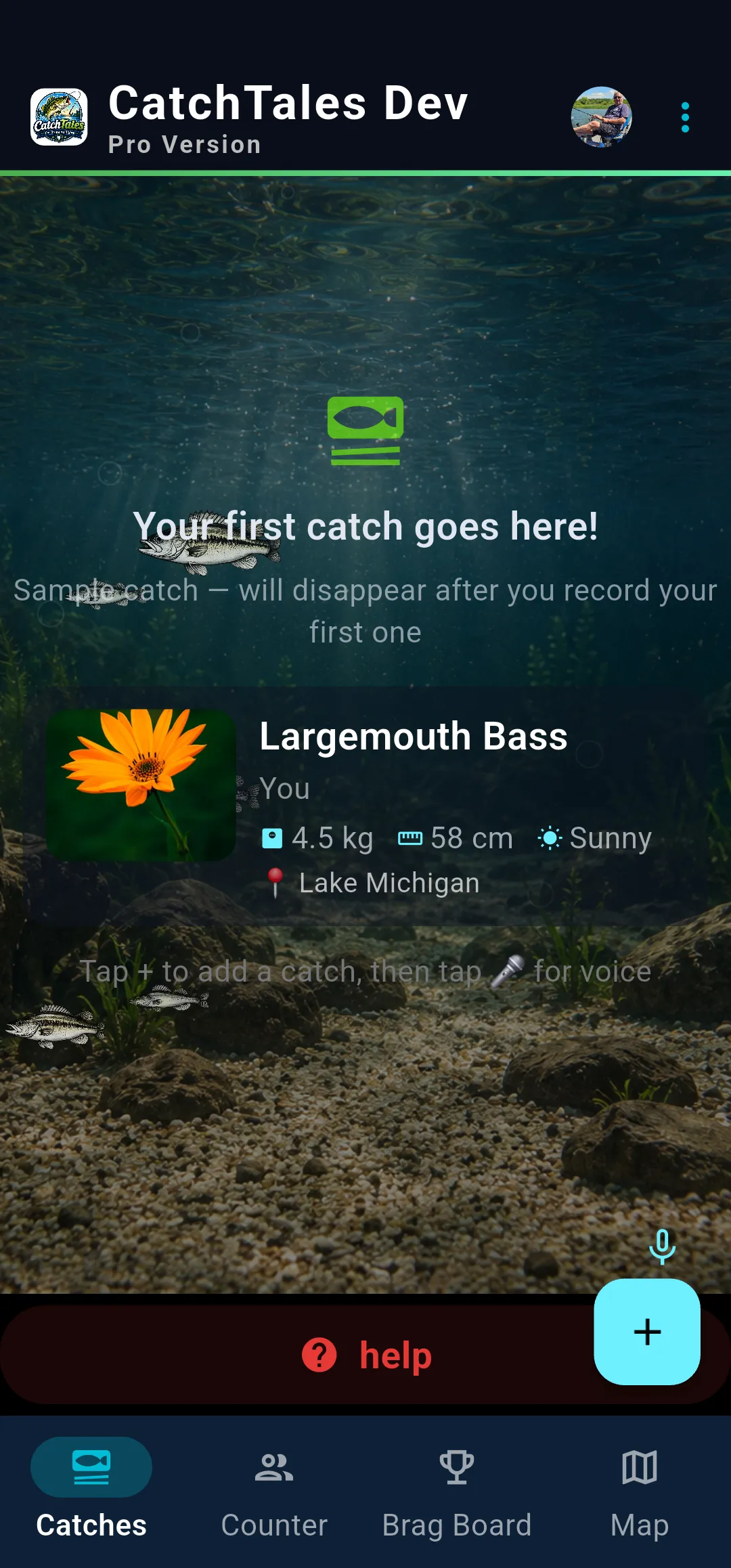
Voice Recording is the fastest way to log a catch. Instead of typing, just speak: "Fish Buddy Jason caught a 5lb bass at Lake St. Clair" — and the app opens a form with everything pre-filled. GPS location and weather are added automatically.
The app learns from your edits. Fix a species name once and future voice commands auto-correct. Example: edit "pipe" → "pike" once, then saying "Jason caught a pipe" automatically records as "pike".
How to use it
- Tap the microphone icon at the bottom of the Catches screen.
- Say: "[name] caught [species]" — for example, "fish buddy caught a walleye".
- Add location with at, from, in, or on: "caught a bass at Lake St. Clair".
- The form opens with details pre-filled — confirm and save.
- Hands-free tips: keep your phone within arm's reach and test voice pickup before you fish.
Voice commands work on all three screens: Catches, Counter (multi-angler tally), and the Add Catch form.
Hands-free setup
Get the most out of voice controls by setting up your device thoughtfully:
- Easy reach — place your phone where you can reach it while holding a catch
- Camera aim — point the camera at the spot where you'll hold up fish
- Voice pickup — make sure the phone can hear you over wind and engine noise
- Test before you fish — try a few spots: boat dash, ice shelter bench, or shore rock
💡 Pro tips
If voice isn't working, move the phone closer or use a windscreen. For photos, a small tripod or gooseneck phone mount gives the best angles.
Get CatchTales
Free and Pro versions available. Pro is $8.99/year or $19.99 lifetime (CAD).